Soft token settings
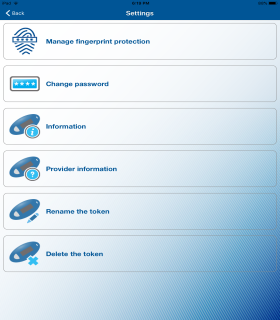
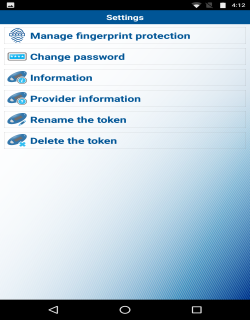
The soft token app displays the Settings button at the top of the application. The soft token app offers you the following options:
| iOS | Android |
|
|
Manage Fingerprint Protection
The Manage fingerprint protection option allows you to enable or disable biometric protection for the application. The option provides you with an extra level of security at the time of activation of the soft token, logon, or performing transactions.
Note:
- The system displays this options on a device that supports the biometric protection feature and the feature is enabled.
- You need to provide the local password to activate the Manage fingerprint protection option.
Change Password
The Change password option allows you to add or change the local password.
Note:
The system does not display this option if the Manage fingerprint protection option is enabled.
Information
The Information option displays the soft token serial numbers and other application details.
Provider Information
The Provider information option displays copyright information of the provider.
Rename the Token
The Rename the token option allows you to rename the available soft tokens.
Delete the Token
The Delete the token option allows you to delete the soft tokens without scanning the image that Business Online displays.
