Security challenge
Business Online authenticates you before you activate your soft, DP260, or GO3 tokens. If you are not able to successfully authenticate yourself by using the Security Challenge page, the system locks your account, signs you out, and requests that you sign in again. To unlock your account immediately, contact customer support.
Note:
The system may not display this page when it forces you to activate your token.
To authenticate by using security challenge:
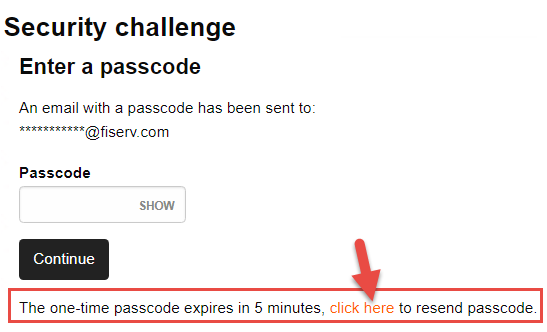
- In the Passcode field, type the passcode that we sent to your registered email address. If you did not receive a passcode, click the click here hyperlink to receive a new passcode.
Note:
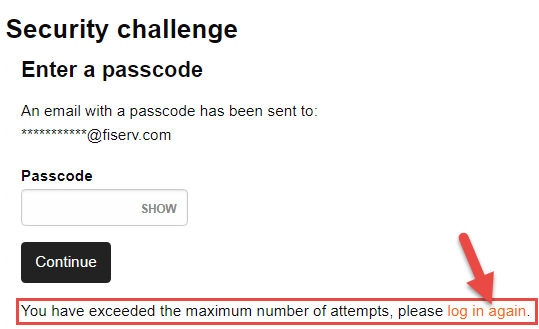
- If you request a new passcode more than two times, the system locks your account, signs you out, and displays the "You have exceeded the maximum number of attempts, please
 log in again." message.
- If you type your passcode incorrectly too many times in a row, you will temporarily be unable to access your account. To unlock your account immediately, contact customer support.
- Click Continue. The system displays the Activate token page.
See also:
